Why I built it
I wanted to keep moving while I played Overwatch. So I converted a regular running treadmill into an under-desk one and gave it an API. First came “OK Google” voice control. Later I built a web interface. It was a lot of work, and a lot of fun.
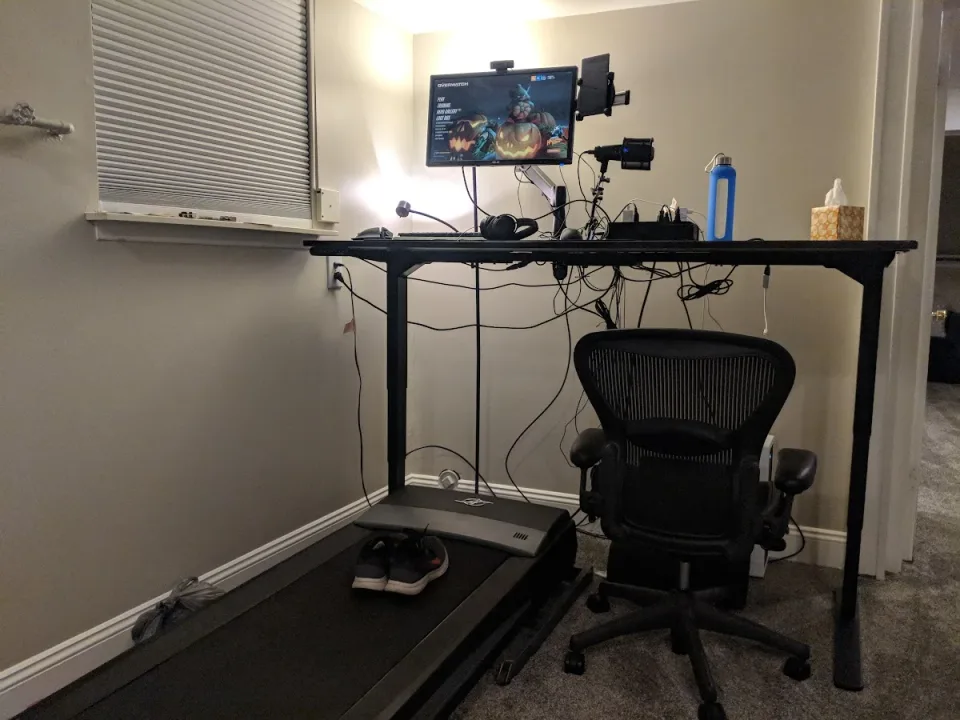
My desk ended up with two sides: sit on the right, walk on the left. I could raise the desk, slide my mouse mat and controls over, and swing the monitor across.
The original build album has the whole thing in photos: the wiring, the controller, and the finished desk.
Taking the treadmill apart
This was my first hardware project ever. The treadmill’s uprights were welded on, and they would have stopped the desk from lowering. Getting them off, with help from friends and family, was one of the harder parts of the build.
Giving it an API
A Raspberry Pi Zero W connects the treadmill to a Node.js and Express API. A request for a speed or an incline turns into control signals to the machine.
For the hardware I used a prototype board, a logic-level converter, and a step-down power module for the Pi. The controller repository has my hardware notes next to the code.
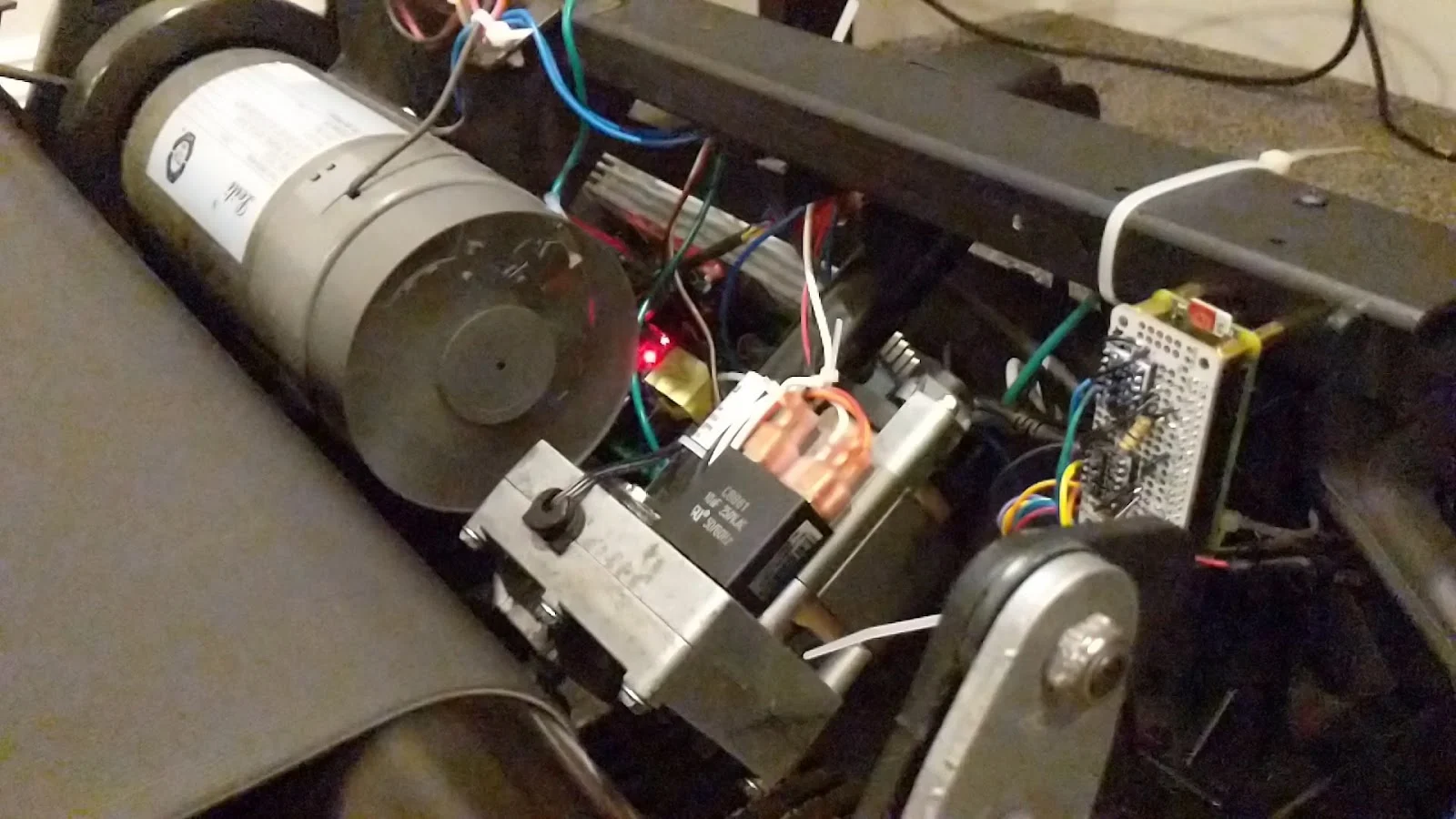
The actual motor and controller during the build, from my original album.
Getting the speed right
Getting the belt to move was a big moment. Getting it to move correctly took more measuring. I timed how the treadmill’s original console accelerated, then filmed the belt in slow motion to compare its rotations at known speed settings against what the Pi was sending.
That turned into calibration notes and gradual speed changes in the code. The first speed-control test that worked is still in the recording, along with my very excited reaction 😁
Voice control, then a web page
The voice control used Dialogflow and Google Assistant. You could start and stop the belt, go faster or slower, change the incline, and ask for the current settings.
I named it Dr. Treadmill. The original voice demo shows it starting the belt before I’d even built the web interface.
One tricky part was teaching it what normal phrases mean. In “go slower,” one word tells you both the setting (speed) and which way to change it. I asked about that Dialogflow problem on Stack Overflow while I was building it.
Later, the web interface put the controls in a browser. It also added interval training: you set starting and ending targets for speed and incline, and it cycles between them over time. Adjusting anything by hand ends the interval.
The code has some experiments with Bluetooth heart-rate data too. That part is an experiment, not a finished feature.
Letting Twitch chat raise the incline
Once the treadmill had an API, I hooked it up to Twitch too. Bit donation comes in, incline goes up! I showed it off in my original project post, with a short clip.
The whole build on video
I recorded a long Twitch stream explaining how I built it. The original stream and the YouTube archive are still up, next to the photos and the code.
The photos and recordings on this page are from the actual build. The voice control is described as it worked back then.