What it is
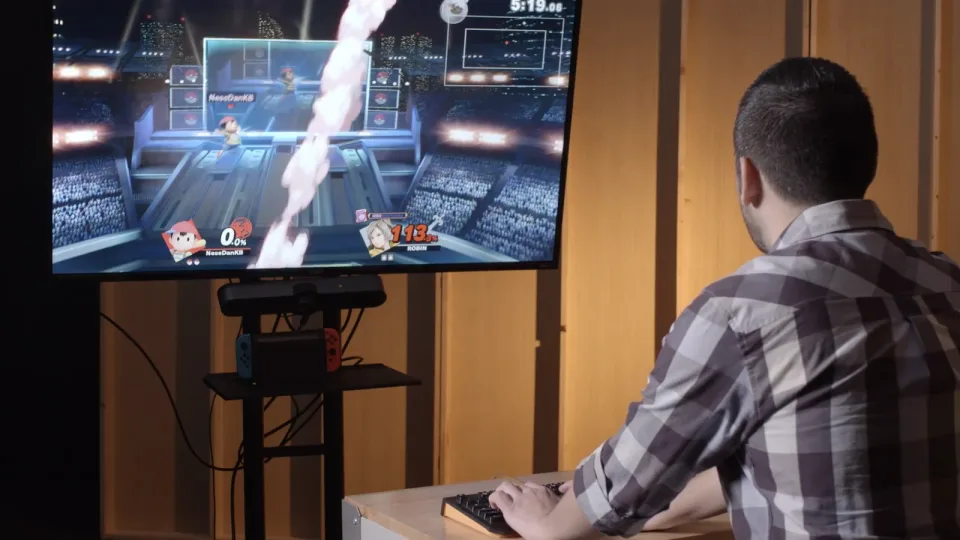
The Edgeguard turns a keyboard into a controller for Nintendo Switch games. I made it with Super Smash Bros. Ultimate in mind, but you can set the controls up for other games too.
What I built
It’s one product, but there are a lot of pieces to it.
- The circuit board. I designed the PCB in KiCad and chose the components, including the FT900-series microcontroller at its center.
- The firmware. Written in C, it runs on that microcontroller, between the keyboard and the console.
- The configurator. A browser tool, built with JavaScript and React, where players map keys to controller buttons, directional inputs, and stick angles.
- The link between them. WebUSB and a custom USB protocol carry a layout from the browser to the adapter. A WebAssembly module turns the layout into the binary format the firmware reads.
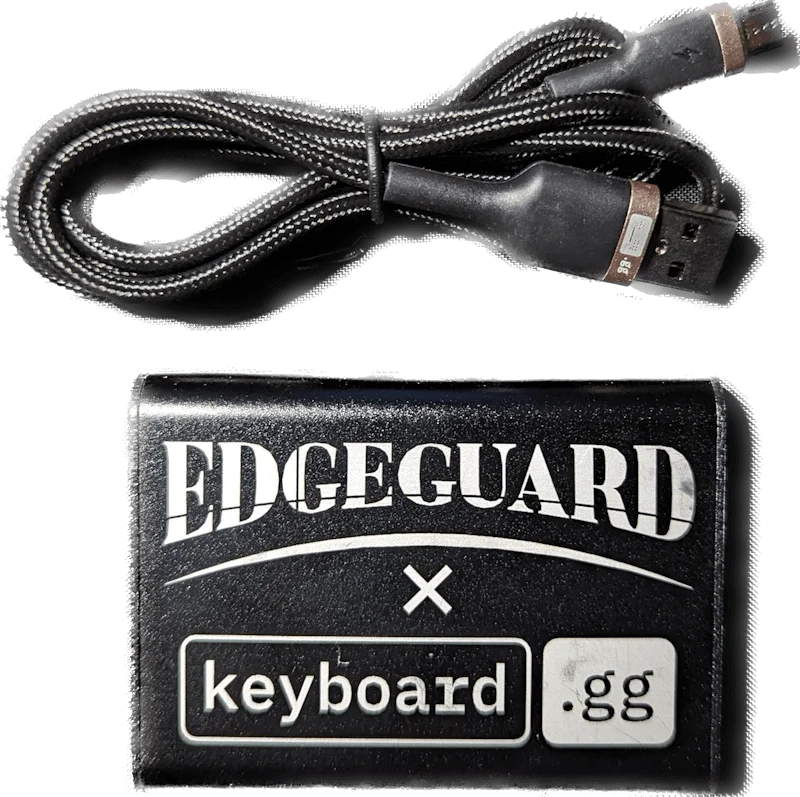
- The physical product. I worked with manufacturers on the custom enclosure and cables.
I didn’t do all of it alone. Zaid Nackasha, a friend of more than 30 years (GreenArrow, if you’re in my Discord), wrote the engine that turns key presses into controller inputs, profiles and modifiers included. I asked for it to be as fast as it could be, and he built it that way. He also did a lot of the work on turning a layout into that binary format. I ported his code onto the hardware and wrote the USB side around it.
My brother-in-law, Ricky Brooks, helped me build the Wizard, the guided tool for setting up your controls.
I am not an electrical engineer
I’m a software engineer. I don’t do things like this… ever. Before the Edgeguard, the only hardware project I’d made was my treadmill desk. I had zero experience and learned as I went, and this was before AI could teach you any of it quickly.
I couldn’t have done it without two coworkers at Detroit Labs, Ted Hansen and Terry May. They’re former QA engineers who build electronics in their spare time, with workbenches, multimeters, and oscilloscopes. They mentored me and reviewed my designs, and I appreciate them so much. It would have been nearly impossible without them.
The rest was Google, the Electrical Engineering Stack Exchange, and datasheets. I looked for a single chip that could be a USB host and a USB device at the same time. The first one I picked and developed on hit end of life, so I moved to the vendor’s newer chip, which had a different library and needed different code.
The board taught me a lot of things I didn’t know I’d have to learn. A few of them: matching the lengths of the two USB data traces, handling voltage spikes and droops, designing within tolerances, and leaving a little moat of empty board around a sensitive part. I never would have thought of that last one myself.
Fun fact: one of the bugs that stalled me the longest was a silly one. When you plug a USB device into Windows, Windows asks it to introduce itself. The Switch doesn’t. You have to say something first to hear anything back.
The hardest part: reading a keyboard
USB is hard. I thought reading the keys you’re pressing would be the easy part. It isn’t.
USB keyboards have a simple mode called the boot protocol. It is easy to read, but forcing it gives up n-key rollover, and many keyboards report an overflow once too many keys are held. The Edgeguard depends on holding several keys at once to change a stick’s angle. That mode was not enough.
So the adapter had to do it the right way. It asks each keyboard how it sends its data, reads the answer, which USB calls a report descriptor, and then parses whatever that keyboard sends.
This is the one piece that really made me debate whether I’d go through with the whole thing. I took about two weeks off work, read the USB specification, and wrote that translation layer in C. (If you’ve heard the story of the programmer who wakes up in the middle of the night yelling “I KNOW THE SOLUTION,” that happened.)
It worked! Every bug I fixed in it afterwards fixed hundreds of keyboards at once.
When the bug wasn’t mine
One keyboard stopped working with the adapter after its own firmware update. I went in assuming the problem was in my code, because the adapter isn’t perfect. What I found was a bug in the keyboard’s firmware. I wrote it up for the people who make it. Feeling vindicated, haha.
Setting it up in the browser
You set the adapter up in your browser. Layouts save as JSON files, so you can load one again later or send it straight to the adapter over USB.
If you want a closer look, here’s the configurator source and the shared device code.
One website, every adapter
The web tools have to work with every adapter that’s already out there, whatever firmware it shipped with. So before it sends a layout, the configurator asks the adapter which firmware version it runs, how many profiles it can hold, and how big each one can be. An older adapter that can’t answer gets safe defaults instead of an error.
Back into the firmware, with AI
In 2026 I pointed Claude at the firmware, to see whether it could solve problems I had been stuck on. Keyboards with a built-in USB hub, or plugged in through one, had never worked. Neither had keyboards that report 8,000 times a second.
It found and fixed almost all of it.
At one point it started adding error handling that retried until things worked. I stopped it and told it to find the root cause. It found a deep USB issue.
It also rewrote the translation layer I had written by hand, and made it more efficient. C isn’t my home language. I learned it for this project.
On most of my projects I let the model write the code and I test what comes out. Not this one. I know this firmware like the back of my hand, and I don’t want to lose that, so I still read every diff. I want to be able to say why it does what it does.
Then every change has to get through my gauntlet. Do profiles still load? Are inputs still coming through, and are they responsive? Does everything else still work? I also keep a big stack of keyboards and plug them in every way I can think of: through USB hubs, daisy-chained together, you name it. All of that has to keep working after every big firmware change.
How much lag does it add?
I wanted a real number, so I built a latency probe, with AI’s help. It’s a second adapter that sends key presses into the Edgeguard and times how long the controller output takes to change, thousands of times.
In Switch mode, the Edgeguard’s own processing came out at about 48 microseconds. That’s 0.048 milliseconds, or about 0.3% of one frame at 60 frames per second. It was the fastest of the adapters I ran through the same rig.
That number is only the adapter’s own work. A console also waits on its own polling schedule before it reads any controller. The Switch polls the Edgeguard every millisecond, which is as fast as that gets.
The adapter does the same thing to your keyboard. A lot of keyboards, older ones especially, only ask to be checked every 8 to 10 milliseconds. The Edgeguard checks them as fast as it can anyway.
A support site that can see inside the adapter
The newest piece is a support site for the hardest kind of report: “I press keys and nothing happens.” I’ve wanted one for a long time. I’m building it with AI, and it isn’t finished yet.
It connects to an adapter over WebUSB, reads the adapter’s own diagnostic log, and walks the player through a guided check until it finds the cause. When it can’t, it writes a report they can paste into Discord with the evidence attached.
It runs entirely in the browser, with no server behind it. Nothing leaves the player’s computer unless they copy the report themselves.
Getting it out the door
The launch video on YouTube had more than 40,000 views and 349 comments as of September 2026. People who already played Super Smash Flash 2 on a keyboard saw a familiar way into Ultimate. Others asked practical questions about custom angles and tournament rules.
The original Kickstarter campaign is still online, with the early product plans and updates. It got 88 backers but didn’t reach its funding goal. I took some time off to play the new Half-Life, beat it, and got back to work.
It took a while. The 2021 chip shortage left me counting how many of my chip were in stock anywhere. The first adapters went out to alpha testers in October 2022, about three years in. The first public sale was in January 2023, and you can buy one at keyboard.gg today.
See it in action
This is a direct gameplay recording, with the keyboard and my hands in the corner so you can see the inputs alongside the game.